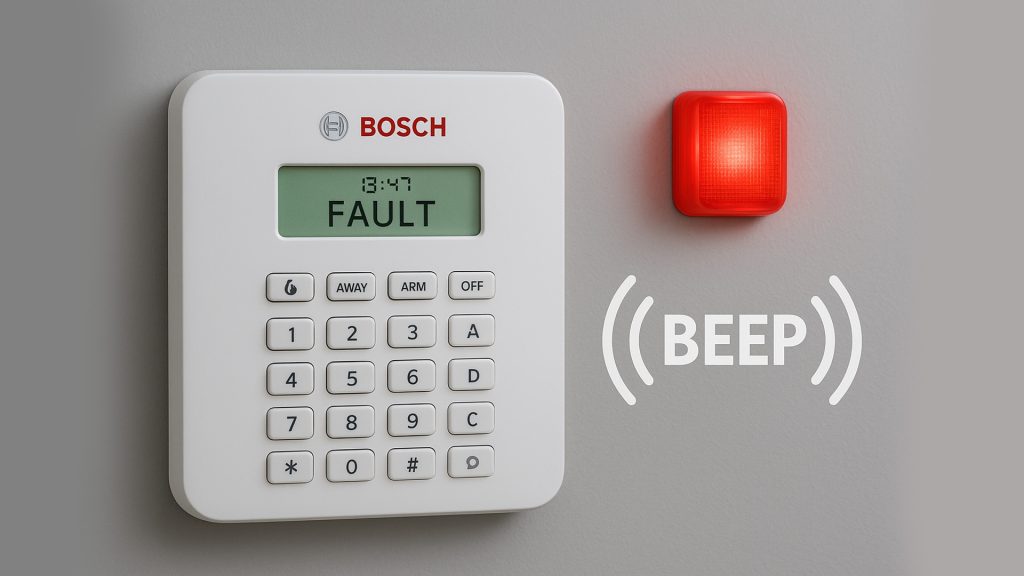
If your Bosch alarm is beeping every minute, it is most definitely your alarm system signaling that something is wrong with it. This could be a low battery, a connection fault, or a sensor issue, and in any case, that continuous beep can be really irritating. What’s more, by just ignoring it, you may be putting your home’s security at risk.
Here is a very concise and straightforward manual to comprehend what causes your Bosch alarm to beep and what actions you need to take in order to stop it.
Common Reasons Your Bosch Alarm Is Beeping
Low Backup Battery
- Typically the most common reason for such a beep is an almost dead backup battery.
- Bosch control panels are powered by a 12V battery when there is a power outage, and they notify the user when the battery is low or needs to be replaced.
Signs:
- If a motherboard is on fire, don’t wait other than a minute to call the fire brigade. That’s how often you will hear a beep at one minute intervals
- “Battery Fault” or “Low Battery” appears on the keypad.
Fix:
- The 12V sealed lead-acid battery (generally 7Ah or 8Ah) has to be replaced.
Sensor or Zone Fault
You might hear a beep from the panel as a notification of disconnection when a door contact loses communication with a control panel, a window sensor loses its signal, or a motion detector gets faulty in any way.
Signs:
- Keypad indicating the number of the specific zone
- The beeping pauses when you press OFF or DISARM but returns again later
Fix:
- Inspect the sensor that has been mentioned for defects, a wire that is loose, and if the battery power is low (only in the case of wireless batteries).
AC Power Failure
To use a very simple example, if your Bosch alarm loses the power that comes from the main warehouse, then it will automatically switch to the battery mode and may start to beep to warn you about this situation.
Signs:
- “AC Fail” or “Power Fault” revealed by the display
- The beeping at regular intervals
Fix:
- Looking at the power outlet, circuit breaker, or power supply transformer will tell you where the problem is.
Faulty Siren or Internal Speaker
One of the factors which in turn can lead to a permanent beep is a damaged siren driver or a speaker targeted at a certain group, thus provoking an error that leads to the beeping of the board.
Fix:
- By this, a technician’s inspection is implied as it normally means the internal testing of the board.
Communication Problem
In case your system is unable to send information to the monitoring service, then surely it will make a beep to let you know that.
Signs:
- “Comms Fail” or “Phone Line Fault” messages
Fix:
Ensure that your NBN/phone line and modem are properly set up and connected. Usually, after an NBN change, Bosch systems that are quite old require the rewiring of the telephone line.
Quick Steps to Silence the Beeping Temporarily
Often, the irritating beep can be made silent until the problem is repaired:
Go to the control panel of your system
Press:
- [AWAY] + [OFF] or [*] key (depending on Bosch model)
- The light indicating a fault will remain illuminated, but the beep will be stopped temporarily
Note: Muting the beep does not resolve the issue—it only allows you to have a moment of time.
When You Should Call an Alarm Technician
If the fault is continually coming back or you are unable to figure out the problem, you should get a Bosch alarm technician who is qualified and licensed to come and help you. A technician should be called especially in the case of:
- Repeated beeping even after battery has been changed
- Communication faults (common with NBN)
- Multiple zone faults
- Siren or motherboard issues
- Such a person is capable of running tests and properly fixing the system so that your house is safely kept.
Conclusion
A Bosch alarm that beeps is very irritating and it becomes a warning signal which is the main function of the alarm system. You can get rid of the beeping become the system is serviced on time and you do some quick troubleshooting in a timely manner.