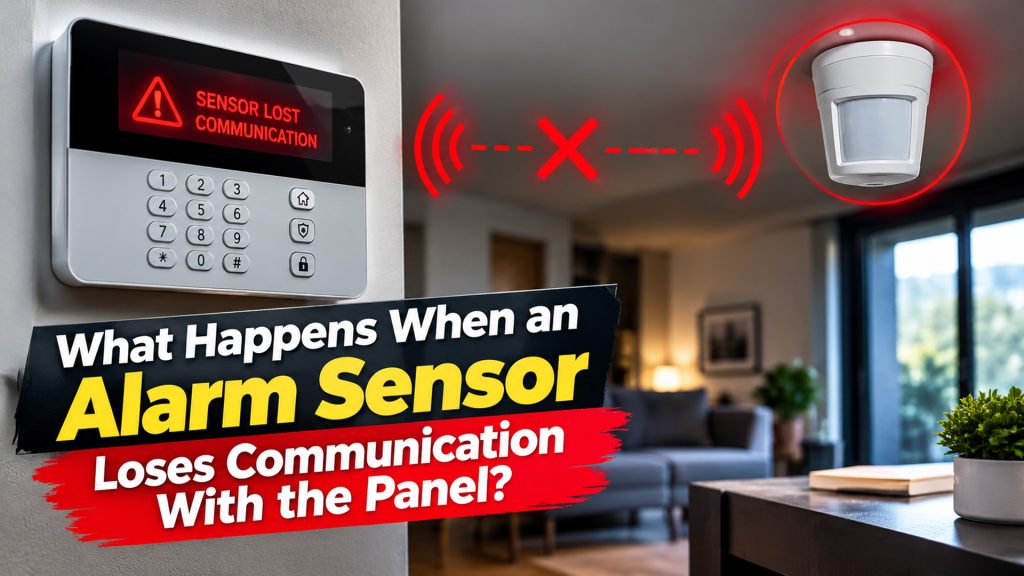
As you walk by the keypad one morning, it starts beeping. This isn’t the loud, anything-is-wrong type of beeping but more like the polite, soft chirping sound every thirty seconds or so. The screen shows something like ‘Zone 4 Trouble” or “Sensor Lost.’ You press a button and the beeping ceases instantly.
Many people actually do the same thing and you know it is reasonable. If nothing is burning and no one has broken into your house, there is no point in worrying. But this message means that one of your sensors has lost communication with the main panel, which is a serious issue. Here is what is going on, the reasons why it happens, and how to fix it.
How the panel and sensors talk to each other
Imagine the panel to be the mind and the sensors to be the eyes and ears. The door contacts, motion detectors, glass breakage sensors and smoke detectors provide information to the panel. Most of the recently developed systems incorporate wireless sensors. These sensors communicate periodically, usually every couple of minutes, to provide reassurance, “I’m good, I’m here.”
This checking in is known as supervision. If the panel does not receive information within a specific time, which could range from 2 to 24 hours, it considers the sensor either “lost” or “in communication error.”
Wired sensors are also quite similar but apart from being connected by wire their connection is made by cable which makes the circuit noticeable to the panel.
So what actually happens?
When a sensor drops off, a few things usually follow.
The keypad first beeps and then starts to display some sort of error message. Depending on the model, it shows you the zone that is causing trouble sometimes and other times it just shows up as a generic trouble light. Refer to the manual or consult your installer who set up the system to explain how trouble is displayed on your panel.
This is the stage when your system no longer protects through that zone. This is the bit where many miss out. Imagine that the sensor at your back door or even the motion detector in a hallway have a problem in communication which is a fault in that particular sensor, the panel is totally disconnected from that sensor. From the alarm’s point of view, it’s a spot where the protection is absent, literally a blind spot. It would allow someone to walk through the area that the alarm system is meant to detect and the alarm would not sound at all.
Arming could turn into a challenge since a number of systems require fault-free equipment to be able to set off a complete arming. Bypass function has been included in such systems that let you arm them without the faulty zone getting involved while letting you know about what is happening in the other zones that are in communication with the panel. While this is not a long term method as it just hides the presence of a problem.
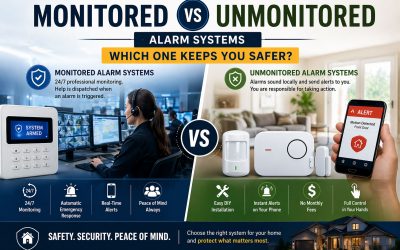
Your alarm company may also receive information about what is happening at your property. Communication fault on your device being monitored can be interpreted as trouble to the alarm company. Some will call you, some will just record it but you need to find out exactly who your alarm company is and what their practice is in such cases as that will depend entirely on the way your account is designed.”
Why sensors lose communication
Most of the time it’s something pretty ordinary. Here are the usual suspects.
Flat batteries
The most generally accepted reason. Wireless sensors utilize batteries which have a lifespan of two to five years based on the kind of sensor and how many signals it provides. Sensors placed in busy areas like motion detectors will consume more power than a door sensor on a window. When the battery becomes weak, it becomes incapable of sending signals, causing the panel to lose the sensor. In most cases, the sensors provide an initial warning of a low battery, but such warnings are ignored.
Distance and obstacles
Wireless signals don’t love thick walls, metal, brick, concrete or foil-backed insulation. Maybe the sensor was fine for years and then you renovated, added a metal shelving unit or installed a new appliance in the way. Sydney’s older brick homes and apartment blocks can be tricky for this, especially when the panel sits on one end of the place and the sensor’s at the other.
Interference
Other devices can crowd the signal. Wi-Fi routers, baby monitors, smart home gadgets and even some LED lighting can cause interference. If the fault started right after you installed something new, that’s worth noting.
Physical damage or tampering
Defective sensors that may have received a coat of paint, or those that may have been knocked around are prone to losing connection. The electronics could also suffer from malfunction due to environmental factors such as humidity, dust, heat, etc.
Panel or system issues
In certain occasions, the issue could be with the panel even though the sensor is functioning properly. If the receiver has failed or there has been a power cut which affected the software or if the backup battery is failing, several sensors could fail together. In such cases, it is usually the panel at fault.
Wiring faults
It could be a damaged cable, a disconnected joint or even water coming into contact with a connection point that can disrupt the electricity flow of the wired system. Animals are often drawn to cables of alarm systems more than you are.
When it’s time to call a technician
Call in a professional if:
- Showing low battery
- Several sensors are dropping out at once
- You can’t clear the trouble message
- The sensor is wired and you suspect cable damage
- The panel itself is acting strangely (random beeps, resets, no power)
- Your system is older and you’re not sure what parts are still available
A technician can test signal strength, re-enrol sensors, move or replace equipment and check the panel’s receiver. They can also tell you honestly whether it’s a quick fix or whether an older system is reaching the end of its useful life. Guessing at alarm problems can sometimes make them worse, and you don’t want to find out your alarm wasn’t working on the day you needed it.
How to stop it happening again
A little routine upkeep goes a long way.
- Get your system serviced yearly. A proper service includes testing every sensor, checking signal levels and looking at the panel’s backup battery.
- Change sensor batteries on a schedule, not when they die. Write the date on the inside of the sensor cover.
- Test your alarm every month or two. Walk through each zone and make sure the panel reacts.
- Don’t ignore the beeping. It’s easy to silence and forget, but trouble messages are the system asking for help.
- Tell your installer about renovations or new equipment. They can check whether signals still reach where they need to.
Conclusion
Although a sensor failure is not an emergency, it is still something that should not be ignored. Any sensor that is not functioning properly means that one area of your security coverage has a gap. Fortunately, fixing this problem is usually nothing complicated, like changing the battery or moving a device a little. However, this is possible only if you take the time to investigate the reasons behind this malfunction.
So next time your keypad starts chirping at you, take two minutes, read the message and figure out which sensor it’s talking about. Your future self will thank you.
FAQ
Can I still arm my alarm if one sensor has lost communication?
Often yes, by bypassing the faulty zone, but that area won’t be protected. It’s only a short-term workaround.
How long do wireless alarm sensor batteries last?
Usually two to five years, depending on the sensor type and how often it’s triggered.
Will my monitoring company know about the fault?
If your system is monitored, a communication fault can send a trouble signal, though how it’s handled depends on your account settings.